
Building a Resilient Business Phone System

A resilient business phone system gives your organization a workable way to keep handling important calls when part of the environment becomes unavailable. The design starts with the interruptions you need to prepare for and the calling functions the business must preserve.

Buying an additional connection or another server can be part of that design. Its value depends on how the components work together, what they still share, and whether people know how to use the recovery process.

Define the calling service you need to preserve

Identify the calls that cannot wait. An operations line may have different requirements from a general information number. Decide who needs to answer, what information they need, and how customers should be directed during an interruption.

Set an acceptable interruption for each essential function. Be specific about what “available” means. Hearing a greeting, leaving voicemail, and speaking to the right person are different outcomes.

Use those priorities to evaluate design options. The most elaborate configuration is not automatically the best fit for the business.

Examine failures across the complete calling path

Consider an office losing connectivity, a hosting environment becoming unavailable, or a carrier experiencing a service problem. Also consider power, local networking, and the devices employees use to answer.

A cloud-hosted system may still depend on an employee’s local internet connection. A mobile answering option needs usable mobile service and an agreed workflow. A second connection may rely on equipment or power that is shared with the first.

Document those dependencies. The purpose is to identify which proposed improvement addresses which interruption, and what remains outside its scope.

Treat hosting and carrier diversity as design decisions

Redundant instances, geographically separate hosting, and multiple SIP providers may form part of a communications strategy when supported by the selected architecture. Each needs a documented operating and recovery model.

Ask how the service moves, what happens to active calls, and what an administrator must do. Confirm capacity and compatibility for the intended deployment. Do not assume an alternate environment automatically takes over every function.

Carrier planning needs particular attention to inbound numbers. An additional outbound calling path does not automatically establish a second route for every incoming number. Ask the providers to explain the inbound recovery options for the specific service, and test the arrangements you select.

Include people and access in the design

Someone must recognize the interruption, decide when to act, and communicate with employees and providers. Assign those responsibilities before an outage. Keep the necessary contact information and recovery instructions accessible if the normal environment is unavailable.

Review emergency-calling configuration and location information as part of the overall design, especially where users move between locations. Coordinate validation with qualified providers through their approved process; do not make unarranged emergency test calls.

Practice the scenarios that matter

Use a controlled exercise with a defined scope and agreed participants. Test representative inbound and outbound calls, transfers, queues, voicemail, and remote access as applicable. Record elapsed time and every manual step required.

Then test the return to normal operation. Temporary routing, changed settings, and staff instructions need to be reconciled. An exercise is most useful when its findings produce assigned improvements and a follow-up date.

Choose improvements the business can maintain

DataPath Solutions, Inc. connects phone-system architecture with business continuity and disaster recovery planning. Our approach considers hosting, carriers, networks, and the operating responsibilities around them.

If your organization cannot explain how its important calls would be handled during an outage, start with a review of the current environment and its dependencies.

Contact Your Expert 3CX Team at 720.999.9119 to discuss a communications resilience review.

3CX vs. Traditional Hosted VoIP: What Businesses Should Compare

A useful phone system comparison begins with the work your business needs to accomplish. Compare how each proposed service handles that work, who manages it, and what the complete arrangement costs over time.

“3CX versus hosted VoIP” can be an imprecise label since a 3CX deployment is typically hosted. The real comparison is between specific solutions and service agreements. Two proposals using the same software can include very different levels of engineering, support, and ongoing responsibility.

Give each provider the same business scenarios

Write down the calls that matter. A new customer reaches the main number. A caller needs a department that is busy.  An employee works from home. Someone calls after hours.  A location loses internet access.

Ask each provider to explain or demonstrate those scenarios. Include transfers, voicemail, queues, and any required integrations. Separate requirements from conveniences so a long feature list does not obscure the functions your team actually needs.

If business messaging or AI is part of the proposal, define the intended workflow separately. Confirm availability and conditions for the quoted edition, deployment, and region before treating a feature as included.

Compare the complete operating cost

A monthly figure is easier to understand when you know what it covers. Ask for a breakdown of software, hosting, calling service, numbers, equipment, implementation, and ongoing management. Identify usage charges, optional services, and work billed separately.

Have each provider explain the quantities used in its quote and what triggers a change in cost. Consider realistic growth and busy periods.  A lower starting price may still be appropriate, but it should not depend on excluding responsibilities that your team expects the provider to handle.

Request written terms for renewals, cancellation, and transition assistance. Compare equivalent scopes over the same period; do not assume one platform is always less expensive.

Identify who manages each dependency

Ask who investigates poor call quality, coordinates with the carrier, changes call routing, and maintains the system.  If separate organizations own different pieces, find out who leads the troubleshooting process.

Consider your internal capacity. Some organizations want to retain administrative control and use outside expertise selectively. Others want an agreed managed service. The right arrangement should match the people and time available inside your business.

Review the migration before approving the destination

A replacement system needs a transition plan. Inventory telephone numbers, devices, routing, special-purpose lines, and services that depend on the existing arrangement. Confirm which items move and which require another solution.

Coordinate number porting requirements and timing with the providers involved. Prepare users, test the new calling paths, and document what happens if the transition cannot proceed as scheduled. Avoid canceling an existing service before the migration dependencies have been resolved.

Ask how the business keeps answering

Evaluate recovery with the same care as everyday features. What happens during an office outage, a hosting issue, or a carrier problem? Which functions remain available, and which require intervention?

Ask for a practical explanation of the proposed design and its limitations.  A redundant component is valuable when it addresses a relevant failure and can be used successfully by the people responsible for recovery.

Make the decision against your requirements

Create a short scorecard covering essential workflows, service ownership, cost, migration, and recovery. Record evidence from demonstrations and written proposals. Use unresolved questions to guide the next conversation.

DataPath Solutions, Inc. helps organizations evaluate communications choices and design 3CX environments around business needs. Our 15 years of hands-on 3CX experience informs the questions we ask about the complete service.

Call 720.999.9119 to discuss your phone system requirements with Your Expert 3CX Team.

Fully Managed 3CX: What Should Be Included

A fully managed 3CX service should make responsibility clear throughout the life of your phone system. That includes the initial design, the way calls reach your business, routine administration, maintenance, and the response when something stops working.

The phrase “fully managed” does not define a standard package. Before comparing proposals, ask each provider to describe what it owns, what your team still owns, and which work requires a separate agreement. A useful proposal explains how the service will operate after installation.

Begin with the way your business handles calls

Start with the people answering calls and the customers trying to reach them. Which teams need queues?  What happens when a caller reaches the wrong department? How should after-hours calls work? What changes when someone works remotely?

Document those requirements before selecting the configuration. A system can place and receive calls successfully while still sending customers through a confusing route. Acceptance testing should follow real business scenarios, including unanswered calls and staff absences.

Understand the complete service boundary

A phone system depends on more than its application. Hosting, internet access, firewalls, local equipment, and telephone carriers all affect the result. The provider should identify which components are included and how it coordinates with other parties.

Ask who opens a carrier ticket, who investigates a problem affecting one office, and who keeps you informed. If your internal IT team manages the network, agree on the information both teams need to exchange. Clear responsibilities shorten the time spent working out who should investigate.

Define routine work and planned changes

Employees join and leave.  Business hours change. Call queues need adjustment. Your agreement should explain how to request those changes, who can authorize them, and whether they are covered.

Maintenance deserves the same clarity. Ask how updates are evaluated, when changes are scheduled, and what testing follows. A release announcement is the start of an evaluation; your organization still needs a decision about suitability, timing, and recovery if the change creates an issue.

Put recovery expectations in writing

Ask what is backed up, where those backups are kept, and how the system would be restored. Then discuss the calling service around it. Restoring an application does not by itself establish that customers can reach the main number or that employees can answer.

Identify the most important calling functions and the acceptable interruption for each. Where redundant hosting or multiple carriers are proposed, request an explanation of the failures they address and the steps required to use them. Verify the agreed design through a planned exercise.

Make support useful to the people requesting it

Your team should know how to report a problem and what information to provide. Support hours, escalation paths, response expectations, and after-hours arrangements belong in the agreement. Ask how urgent business impact is distinguished from a routine request.

Reporting should help you make decisions. Recurring issues, maintenance needs, capacity concerns, and recommended improvements are more useful when connected to the way your business operates.

Evaluate the relationship as well as the installation

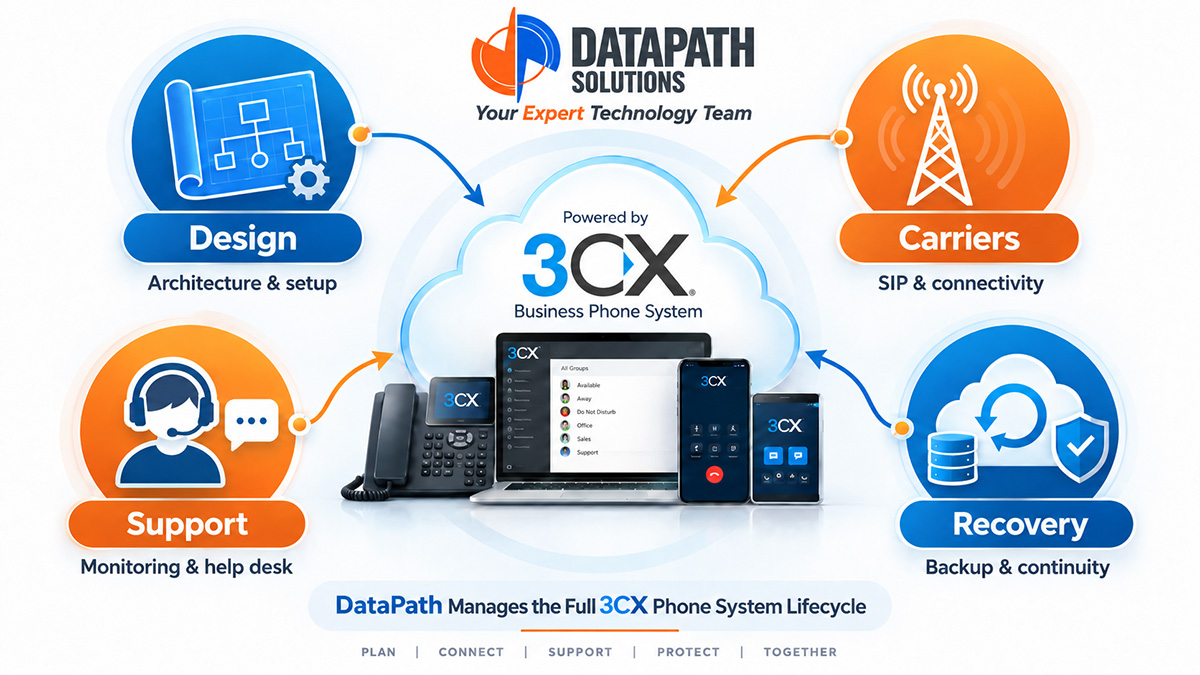
DataPath Solutions, Inc. brings 15 years of hands-on 3CX experience to architecture, engineering, implementation, hosting, carrier integration, migrations, support, and ongoing management. We help connect the technical design to the business requirements and define the scope of support. Around-the-clock support is available upon request and should be agreed in advance.

Before signing, ask one final question: if an important calling function fails tomorrow, does everyone know who takes the next step?

Contact Your Expert 3CX Team at 720.999.9119 to discuss a review of your 3CX service and responsibilities.

https://datapathsolutions.io/3cx-business-phone-systems-and-unified-communications/

https://datapathsolutions.io/wp-content/uploads/2026/09/DataPath3CX_WhyChooseDataPath.pdf

What Should Vendor-Agnostic Technology Consulting Look Like?

Vendor-agnostic technology consulting starts with your business requirements and provides a clear explanation of why a recommendation fits.

Your organization should understand what a proposed solution will accomplish, what it will require to operate, and which tradeoffs come with the decision.

A technology partner can have preferred vendors while applying this approach. Familiarity with a platform can support effective implementation and ongoing management. The recommendation should still be evaluated against your needs, budget, existing environment, and long-term plans.

Define the Business Problem First

Before comparing products, establish what needs to improve.

Is downtime interrupting operations? Are employees struggling to collaborate across locations? Has an aging system become difficult to maintain? Does leadership need a clearer plan for technology spending?

Translate those concerns into practical requirements. Depending on the project, these may include:

  • Availability and recovery expectations.
  • User experience and accessibility.
  • Integration with existing systems.
  • Security and administrative requirements.
  • Implementation timing and migration constraints.
  • Ongoing support and operating costs.

This gives everyone a common basis for evaluating options and helps keep the discussion focused on the business outcome.

Consider the Full Operating Commitment

The initial purchase price is only part of a technology investment.

Implementation, licensing, administration, support, training, and future changes all affect the commitment your organization is making.

Ask who will maintain the solution and which skills that work requires. Discuss how configurations will be documented, how problems will be escalated, and what happens when your business needs a change.

A solution that fits well on the day of installation should also be workable for the people responsible for it afterward.

Expect a Clear Explanation of Tradeoffs

Technology decisions often involve competing priorities.

A lower initial cost may require more administrative effort. Additional customization may introduce complexity. A phased migration may reduce disruption while extending the transition period.

A useful consultant makes those tradeoffs visible and explains how they relate to your priorities.

When several options are viable, ask why one is preferred. What assumptions support that recommendation? What would cause the recommendation to change? Which limitations should your organization understand before committing?

Those questions help leadership make an informed decision.

Connect Individual Projects to a Roadmap

A technology purchase should fit into the wider direction of the business.

Consider expected changes in staffing, locations, applications, and support requirements. An immediate project may also create dependencies for future work or provide an opportunity to address an existing limitation.

A practical roadmap identifies priorities, dependencies, approximate timing, and budget considerations. It should help your organization distinguish urgent work from improvements that can be planned over time.

Periodic reviews keep that roadmap aligned with changing business conditions.

Bring Technical and Business Perspectives Together

DataPath Solutions, Inc. provides technology consulting, assessments, planning, and fractional CIO, CTO, and CISO services.

We help organizations evaluate requirements, understand their options, and plan technology improvements within the context of their operations. Our approach combines vendor-agnostic guidance with experience in the platforms and services we support.

Whether the next decision concerns cloud services, communications, cybersecurity, infrastructure, or a broader technology roadmap, the reasoning behind the recommendation should be clear.

Planning a technology investment or looking for a clearer direction? Contact DataPath Solutions, Inc. for a conversation with Your Expert Technology Team.

Can You Use Cloud Services Without a Fully Managed IT Agreement?

Yes. Your business can work with DataPath Solutions, Inc. for individual cloud and hosted services without requiring a fully managed IT relationship.

Some organizations need comprehensive technology management. Others already have an internal IT team or an established support arrangement and need help with a particular platform, project, or operational responsibility.

The right service relationship starts with the work your business needs done.

Choose Services Around a Specific Need

Your internal team may handle daily support effectively while needing additional expertise for business communications, cloud administration, or data protection.

For example, your organization may want assistance with:

  • Hosted and managed 3CX unified communications.
  • Microsoft 365 or Google Workspace administration.
  • Cloud infrastructure and hosting.
  • Secure offsite backup storage and management.
  • Business continuity and disaster recovery planning.
  • A cloud migration or specialized technology project.

These needs can be evaluated individually. The resulting scope should explain what DataPath will manage, what your organization will retain, and how the service will work alongside your existing resources.

You do not need to begin with a company-wide outsourcing decision to address a specific technology requirement.

Cloud Services Still Need Clear Management

Using a cloud service does not eliminate the need for administration, configuration, security decisions, or support.

Someone still needs to manage access, review changes, investigate issues, and understand how the service supports business operations. Those responsibilities should be identified before service begins.

For a collaboration platform, discuss user administration and configuration management. For hosted communications, discuss call routing, carrier coordination, and service changes. For backup services, establish what is protected, how problems are addressed, and how recovery is verified.

The objective is to make the management responsibilities as clear as the service being purchased.

Define How Providers Will Work Together

Individual services usually depend on other systems.

A hosted phone system relies on internet connectivity and the local network. A cloud application depends on user access and endpoint configuration. Recovery may require coordination among your staff and several technology providers.

Discuss those dependencies early. Establish who receives the initial support request, who investigates each part of the environment, and how an issue moves between teams.

For example, if employees cannot reliably use a hosted service, who reviews the local connection? If a recovery requires changes to another system, who is authorized to make them?

Clear handoffs help everyone respond more effectively.

Plan for Changes in Your Business

A focused service relationship can evolve as your organization grows or its priorities change.

You may initially need management of one platform, then later require migration assistance, additional engineering, or broader planning. Alternatively, a well-defined individual service may remain the right arrangement for years.

The important point is to review the scope periodically. Confirm that responsibilities, access, documentation, and support arrangements still reflect how the business operates.

Get the Expertise You Need

DataPath Solutions, Inc. provides individual cloud and hosted services alongside managed and co-managed IT options. We work with organizations to define practical responsibilities and connect specialized services to the wider technology environment.

Whether you need ongoing platform management or help with a specific project, the conversation starts with your requirements.

Contact DataPath Solutions, Inc. to discuss the cloud services your business needs and how Your Expert Technology Team can help.

How to Choose a 3CX Partner for Your Business

Your business phone system connects customers, employees, and the people who keep your organization moving. Choosing the right 3CX partner means choosing a team that understands those connections—and knows how to support them after installation.

Whether you are considering 3CX for the first time or already use it through another provider, look closely at the partner’s engineering experience, management responsibilities, and approach to business continuity.

Start With Your Business Requirements

A productive conversation should begin with how your organization works.

How do incoming calls reach the right person? What happens when nobody answers? Do employees work across multiple locations, remotely, or while traveling? Which departments need different routing, reporting, or communication capabilities?

Your partner should understand those requirements before recommending a configuration. Ask how the proposed solution will address your actual workflows, including busy periods, after-hours calls, and unexpected disruptions.

The quality of those questions can reveal a great deal about the team you are evaluating.

Look Beyond the Initial Installation

Ask who will design your environment, who will implement it, and who will resolve complicated issues later.

Relevant experience includes hosting, network integration, SIP carriers, number migrations, call routing, and remote users. Your partner should also understand how these components interact. A calling problem may involve the phone system, the carrier, the internet connection, or the local network.

For businesses already using 3CX, ask what a prospective partner would review before taking over management. That review should establish the current configuration, documentation, outstanding issues, and opportunities for improvement.

A change in providers should begin with a clear understanding of what your business already has.

Ask What “Managed” Includes

The word “managed” deserves a specific explanation. Ask who is responsible for:

  • Updates and ongoing maintenance.
  • Backup monitoring and recovery verification.
  • Certificates and administrative access.
  • Carrier coordination and escalation.
  • Call routing and configuration changes.
  • Documentation and ongoing optimization.
  • Urgent support and after-hours coverage.

Confirm which responsibilities are included in the proposed agreement and which require additional services. Your team should know whom to contact, how an urgent issue is escalated, and what communication to expect.

Make Resilience Part of the Conversation

Ask pointed questions about the proposed architecture:

Do we have redundant instances? Are hosting locations geographically diverse? Do we have multiple SIP providers? What happens if one component becomes unavailable?

Have the partner explain which recovery actions happen automatically and which require someone to intervene. Ask how callers will reach your business during a carrier outage and how emergency calling locations are maintained as users move or work remotely.

Then ask the question that connects the design to operational reality: When was the recovery process last tested?

The answers should describe your actual environment and service agreement.

Choose Experience That Continues to Add Value

DataPath Solutions, Inc. brings 15 years of hands-on 3CX experience to architecture, engineering, implementation, hosting, carrier integration, migrations, support, and ongoing management.

We help organizations evaluate their communications requirements, understand their options, and develop an environment that supports the way they operate. As those requirements change, ongoing management provides an opportunity to refine routing, improve workflows, and address new needs.

Considering 3CX—or reviewing your current partner relationship? Contact DataPath Solutions, Inc. to discuss your communications environment with Your Expert Technology Team.

Is Your Network Ready for Cloud Applications and Business Voice?

Your applications may operate in the cloud, but your employees still depend on the network connecting them to those services.

Before expanding cloud applications, deploying business voice, or supporting more users, review how that connection performs throughout the workday. An internet speed test provides useful information, but it does not explain every issue affecting calls, meetings, or application access.

Network readiness requires a broader look at the environment and the way your business uses it.

Start With What Employees Experience

Intermittent problems often provide important clues.

Do calls become unreliable during busy periods? Do video meetings struggle in particular rooms? Does an issue affect one office, a group of wireless users, or everyone at the same time?

Document when the problem occurs, who experiences it, and which services are affected. This information helps guide the investigation and makes it easier to evaluate whether a change has improved the situation.

Also consider what is coming next. More employees, additional cloud applications, or a new communications platform may change the demands placed on the network.

Review the Complete Connection

Internet connectivity is one part of the path between an employee and a cloud service.

Firewalls, switches, wireless access points, cabling, and power also contribute to reliable operation. Configuration and equipment condition matter alongside available bandwidth.

A useful review considers how the environment behaves during normal business activity. Calls, video meetings, file transfers, backups, and other applications may be active at the same time.

The objective is to understand whether the network supports that combined activity and whether your technology team has the visibility needed to investigate problems.

Treat Wireless Coverage and Capacity Separately

Seeing a strong Wi-Fi signal does not establish that a space can support everyone working in it.

A conference room may perform differently when one person is connected than when a full team joins a video meeting. Building materials, interference, device density, and access-point placement can all affect the experience.

Before adding equipment, identify the cause of the issue. The problem may involve coverage, capacity, configuration, or a connection elsewhere in the network.

A targeted review helps direct spending toward the improvements that address the actual need.

Examine What Happens During an Outage

A secondary internet connection can support continuity, but the surrounding design matters.

Ask what happens when the primary connection fails. Does traffic move automatically? Which equipment and power sources must remain available? Does anyone need to make a manual change?

Then test the business services that depend on the connection. Verify calling behavior, application access, and the ability of employees to continue essential work.

Document the results and any intervention required. That information should feed into your business continuity and disaster recovery planning.

Turn Findings Into a Practical Improvement Plan

A network review should produce understandable priorities.

Which issues need immediate attention? Which improvements support upcoming growth? What can be scheduled as part of a normal replacement cycle?

Recommendations should connect the proposed work to reliability, security, capacity, or supportability so your organization can make informed decisions.

DataPath Solutions, Inc. provides Network and Physical Infrastructure planning, engineering, and management. When structured cabling work is required, we coordinate with a cabling partner as part of the broader project.

Expanding cloud services, changing your phone system, or experiencing recurring connectivity problems? Contact Your Expert Technology Team to discuss a network readiness review.